By default EBS locks a user's account for 3 failed login attempts due to incorrect password.
In order to unblock, please follow the steps;
1. Go to configuration and tools menu
2. Then User administration
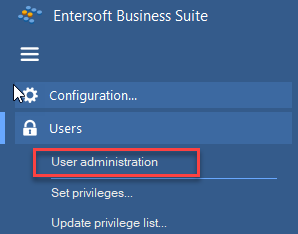
3. Find the user who is locked, as shown below and click "unlock" user from top toolbar.

4. In case user has forgot his/her password, then double click the user to open it and change the password;

Was this article helpful?
That’s Great!
Thank you for your feedback
Sorry! We couldn't be helpful
Thank you for your feedback
Feedback sent
We appreciate your effort and will try to fix the article