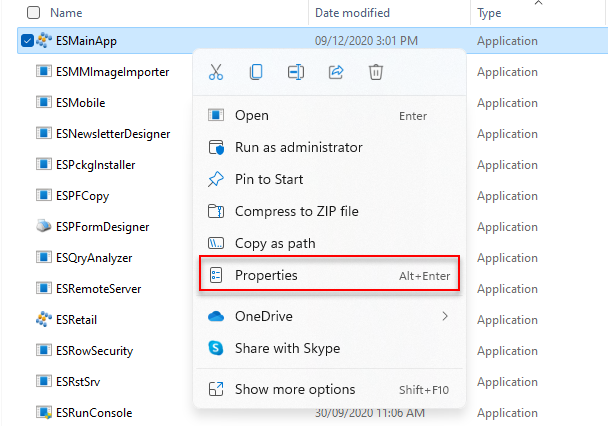
In order to resolve the resolution issue for EBS version 5, please right click on the ERP Icon and go to Properties;
Next go to "Compatibility" tab > Change high DPI Settings and change the settings as shown below.
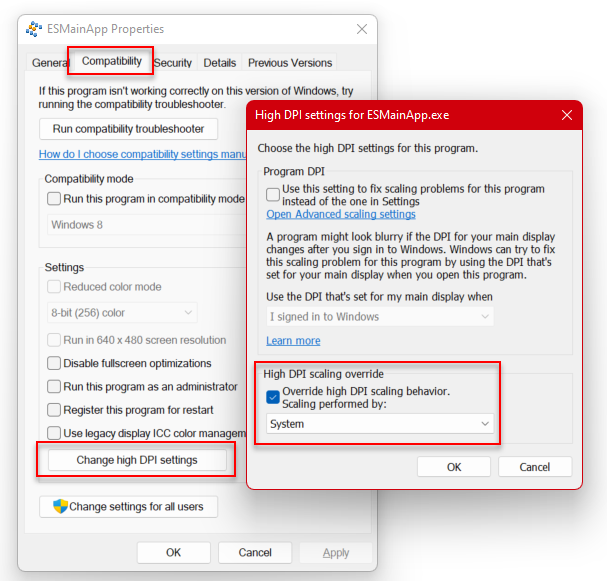
Finally click ok to save all the changes.
Close EBS and re-open it, the resolution issue should be resolved now.
Was this article helpful?
That’s Great!
Thank you for your feedback
Sorry! We couldn't be helpful
Thank you for your feedback
Feedback sent
We appreciate your effort and will try to fix the article